Smart Lighting for Beginners: A Complete Guide
Ready to upgrade your home with smart lighting but don't know where to start? This guide makes it easy. We cover the basics: choosing the right bulbs, understanding hubs, and the benefits of voice control and automation. Follow our step-by-step setup to transform your space in minutes.
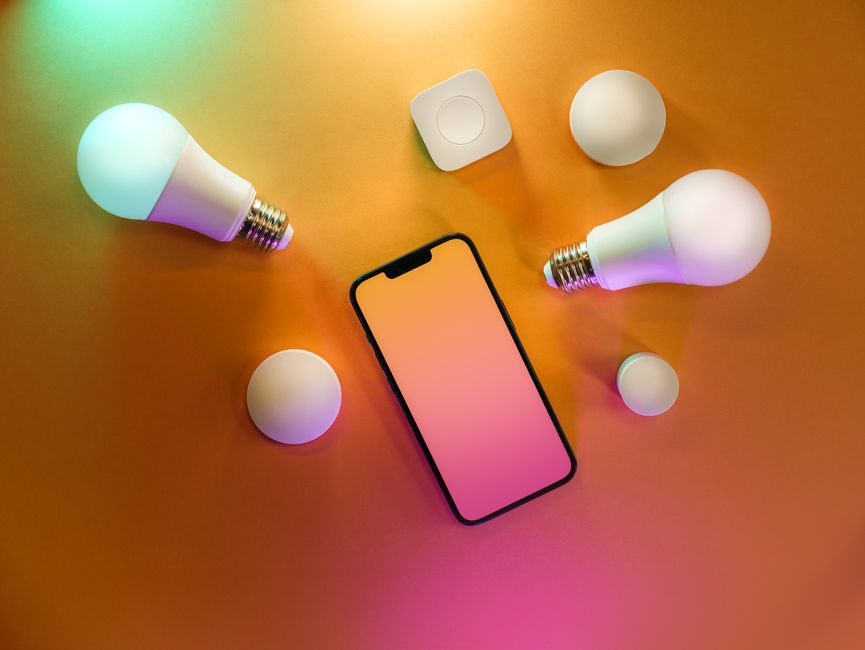
- Section 1: Why Go Smart? Unveiling the Magic of Smart Lighting for Your Indian Home
- Section 2: The A-B-C of Smart Lighting: Understanding the Technology
- Section 3: Your Smart Home Blueprint: Planning and Installing Like a Pro
- Section 4: Making the Right Choice: Top 3 Smart Lighting Products in India Compared
- Section 5: Beyond On/Off: Mastering Your Smart Lighting Ecosystem
- Conclusion: Your Journey to a Smarter Home Starts Now
- Frequently Asked Questions
- Do I really need a hub or bridge for smart lights?
- Will smart lights work with my existing Alexa, Google Assistant, or Apple HomeKit?
- What happens to my smart lights if my Wi-Fi goes out?
- ⚡ Smart Home Checklist
Key Takeaways: * Start Small & Cheap: You don't need to automate your whole house. A single smart bulb from a brand like Wipro or Mi can be bought for ₹500-₹750 and can transform a room. * Check Your Holder First: India primarily uses the B22 (pin-type) socket. Before buying, check your light fittings to avoid getting the wrong bulb. * Wi-Fi is Enough for Beginners: Most affordable smart lights connect directly to your home Wi-Fi. You don't need an expensive hub to start. * It's More Than On/Off: The real magic is in creating moods for festivals, scheduling lights for security, and using voice commands like "Alexa, lights dim kardo."
Section 1: Why Go Smart? Unveiling the Magic of Smart Lighting for Your Indian Home
1.1 What Exactly is "Smart Lighting"? (Beyond the App)
Forget the idea that smart lighting is just a fancy way to turn lights on and off with your phone. Think of it as lighting that adapts to your life. It's about creating the perfect mood for any moment, automating daily routines, and making your home more convenient and efficient.
The three pillars of smart lighting are simple: 1. Convenience: Control your lights with your voice or an app, from anywhere. 2. Ambience: Paint your room with millions of colours and shades of white light. 3. Efficiency: Save energy and money through scheduling and LED technology.
1.2 The "Why" - Benefits Tailored for the Indian Context:
Ambience & Mood Setting Smart lighting truly shines in an Indian home. Instantly create the perfect Diwali scene with vibrant oranges and reds, or a serene, warm yellow glow in the mandir for your daily pooja. You can set a "Dinner Time" scene for family meals or a "Movie Night" scene with dimmed, cinematic lighting—all with a single tap or voice command.
Unmatched Convenience Experience the magic of walking into a room with your hands full and saying, "Alexa, living room lights on kardo." No more fumbling for switches in the dark. Automate your balcony lights to turn on at sunset and off at sunrise, or wake up gently with lights that slowly brighten to mimic the morning sun.
Energy & Cost Savings Every smart bulb is an LED bulb, which is already highly power-efficient. Add scheduling to the mix, and you'll never accidentally leave lights on overnight again. Dimming your lights to 50% doesn't just create a mood; it also significantly cuts down on power consumption, helping you lower that monthly electricity bill.
Enhanced Security Going on vacation? Smart lighting is your best friend. Use the "Away" mode or set a random schedule for lights to turn on and off in different rooms. This presence simulation makes it look like someone is home, acting as a powerful deterrent for potential intruders.
1.3 Busting Common Indian Myths & Concerns:
Myth: "It's too expensive (bahut mehenga hai)." Reality: This was true years ago, but not anymore. You can start your smart lighting journey with a single, high-quality smart bulb from brands like Wipro or Syska for just ₹500 - ₹700. You can upgrade one room at a time, at your own pace.
Concern: "What happens during a power cut?" Reality: When power returns, your smart bulb acts just like a normal bulb—it will turn on. You can always control it with the physical wall switch. Most apps also let you set the "power-on behaviour," so you can choose if it should return to its last state, stay off, or turn on to a default brightness.
Concern: "My Wi-Fi is not reliable." Reality: For most beginners, a standard Wi-Fi connection is perfectly fine. While budget-friendly bulbs depend on your router, they don't use much bandwidth. If you plan a whole-home system or have poor Wi-Fi, you can later invest in a more robust, hub-based system.
Section 2: The A-B-C of Smart Lighting: Understanding the Technology
2.1 Know Your Lights: Types of Smart Lighting Products
- Smart Bulbs: This is the easiest and most popular starting point. Simply replace your existing bulb with a smart one.
- Socket Types (Crucial for India): Before you buy, check your bulb holders! The most common type in India is the B22 (Pin-type). The E27 (Screw-type) is less common, often found in decorative lamps.
- Smart LED Strips: These flexible strips of light are perfect for accent lighting. Stick them behind your TV for an immersive movie experience, under kitchen cabinets for better visibility, or inside a false ceiling for a modern, indirect glow.
- Smart Plugs: This is the ultimate hack. A smart plug goes between your wall socket and any regular lamp or appliance, instantly making it smart. It's a fantastic, budget-friendly way to control your existing decorative table lamps or floor lamps. For a deep dive, check out our guide on Energy Saving Smart Plugs in India | Save on Bills.
- Smart Fixtures (Downlights/Panels): If you're building a new home or doing a major renovation, these are a great option. They offer a clean, integrated look as the smart technology is built directly into the ceiling fixture.
2.2 Understanding "Colour": Decoding the Options
- Tunable White: This type of bulb allows you to change the shade of white light. You can go from a very warm yellow light (~2200K), like a candle, to a cool, energetic blue-white light (~6500K), like daylight.
- Indian Use Case: Use cool white for focus while your kids are studying or when you are working from home. Switch to a warm, cozy white for relaxing in the evening with family.
- RGB / Colour Ambiance: This gives you the full spectrum of tunable whites plus 16 million colours.
- Indian Use Case: Perfect for setting colourful themes for parties, decorating for festivals, or even matching the light colour to your wall paint for a designer look.
2.3 How They Connect: Wi-Fi vs. Zigbee (Hub-based)
- Wi-Fi Direct (Hub-less):
- How it Works: Each bulb connects directly to your home's Wi-Fi router, just like your phone.
- Popular Brands in India: Wipro, Syska, Mi, realme.
- Pros: Very easy to set up, affordable, no extra hardware needed.
- Cons: Can clog your Wi-Fi network if you add too many devices (more than 15-20). Performance depends entirely on your router's strength.
- Zigbee / Matter (Hub-based):
- How it Works: All your bulbs talk to a central device called a "hub" or "bridge." Only this one hub connects to your Wi-Fi router.
- Popular Brands in India: Philips Hue.
- Pros: Extremely fast and reliable. It creates its own dedicated network, so it doesn't slow down your Wi-Fi. Many functions work even if your internet is down.
- Cons: Higher initial investment because you need to buy the hub separately. To learn more about hubs, read our guide on the Best Smart Home Hubs 2026: Reviews & Top Picks.
Section 3: Your Smart Home Blueprint: Planning and Installing Like a Pro
3.1 The Pre-Purchase Checklist:
- Step 1: Identify Your Need: Start with one room. Is it the bedroom for relaxation or the living room for entertainment? This focus will help you choose the right type of bulb.
- Step 2: Check Your Fittings: This is the most important step! Unscrew an old bulb and check. Is it the B22 pin-type or the E27 screw-type? Buy the one that matches.
- Step 3: Check Your Wi-Fi Signal: Stand in the exact spot where the smart bulb will be. Does your phone show a strong Wi-Fi signal (at least two bars)? If not, the bulb may struggle to connect.
- Step 4: Choose Your Ecosystem: Are you an "Alexa" family or a "Google" family? Check the product box for the "Works with Alexa" or "Works with Google Assistant" logo to ensure compatibility.
3.2 Room-by-Room Smart Lighting Ideas for the Indian Home:
- Living Room: Use a main RGB Colour bulb to set moods for festivals or parties. Add a smart LED strip behind the TV for a cool, cinematic backlight effect.
- Bedroom: A Tunable White bulb is perfect here. Schedule a cool white light to help you wake up in the morning and a dim, warm light to help you relax before sleeping.
- Kitchen: Bright, cool-white light is essential for cooking. Use smart downlights or an under-cabinet smart strip for clear task lighting.
- Balcony: A simple smart bulb on a schedule is perfect. Have it turn on automatically at 7 PM for security and turn off at 6 AM to save power.
3.3 Installation 101: Your 5-Minute Setup Guide
- Safety First: Turn off the power using the physical wall switch.
- Swap the Bulb: Remove your old bulb and screw/push in the new smart bulb.
- Power On: Turn the wall switch back on. The new bulb should light up and may start blinking or pulsing, which means it's in pairing mode.
- Download the App: Get the brand's official app from the App Store or Play Store (e.g., Wipro Next Smart Home, Mi Home, Philips Hue).
- Connect to Wi-Fi: Follow the simple on-screen instructions in the app to connect the bulb to your home Wi-Fi network.
- Link to Voice Assistant: Open your Amazon Alexa or Google Home app. Go to 'Skills' or 'Works with Google', find the brand's service, link your account, and let it discover your new device. You're done!
Section 4: Making the Right Choice: Top 3 Smart Lighting Products in India Compared
4.1 The Contenders: A Look at the Market Leaders
- The Premium King: Philips Hue
- Positioning: The "Apple" of smart lighting. It offers unmatched quality, reliability, and the best app experience. It's an investment in a flawless system.
- The Value Champion: Wipro Garnet Smart Bulb
- Positioning: The undisputed people's choice in India. It's incredibly affordable, works without a hub, and offers a fantastic set of features for its price.
- The Ecosystem Player: Mi (Xiaomi) LED Smart Bulb
- Positioning: A powerful contender from a brand millions of Indians trust. It offers great quality and integrates perfectly if you already use other Mi products.
4.2 Head-to-Head Comparison Table:
| Feature | Philips Hue | Wipro Garnet | Mi (Xiaomi) LED Bulb |
|---|---|---|---|
| Connectivity | Zigbee (Requires Hue Bridge) | Wi-Fi (Direct to Router) | Wi-Fi (Direct to Router) |
| Socket Types | E27 (B22 available but less common) | B22 and E27 (B22 is very common) | B22 and E27 |
| Colour Accuracy | Best-in-class, rich and vibrant | Very good for the price, slightly less saturated | Good, with accurate whites |
| Brightness (Typical) | 800-1100 lumens | 800-900 lumens | 810 lumens |
| App Experience | Polished, feature-rich, intuitive | Functional, gets the job done (Wipro Next App) | Clean, simple (Mi Home App) |
| Key Differentiator | Rock-solid reliability, Hue Sync (PC/TV) | Unbeatable price, frequent deals | Excellent value, integrates with Mi ecosystem |
| Approx. Price (1 Bulb) | ₹2,500 - ₹3,500 (+ ~₹4,000 for Bridge) | ₹550 - ₹750 | ₹650 - ₹800 |
| Where to Buy | Buy Philips Hue | Buy Wipro Garnet | Buy Mi LED Smart Bulb |
4.3 The Verdict: Who Should Buy What?
- Buy Philips Hue if: Budget is not your main concern, you want the absolute best performance, and you plan on building a large, whole-home system with 10+ bulbs. The reliability is unmatched.
- Buy Wipro Garnet if: You are a beginner, budget-conscious, and want to try smart lighting in one or two rooms. This is the best starting point for most Indian homes due to its incredible value.
- Buy the Mi Bulb if: You are already using other Mi or Xiaomi products (like their phones, TV, or air purifier). It allows you to control everything from the single, familiar Mi Home app.
Section 5: Beyond On/Off: Mastering Your Smart Lighting Ecosystem
5.1 Unleash the Power of Voice (with Indian English examples):
Once set up, you can control everything with your voice. Try these commands: * Basic Commands: "Ok Google, bedroom light on kardo." * Colour Commands: "Alexa, change the living room light to blue." * Brightness Commands: "Ok Google, set balcony light to 20 percent." * Scene Commands: "Alexa, turn on Movie Time." (after you've created a scene in the app)
5.2 Creating Routines & Scenes for the Indian Lifestyle:
The true power is in automation. In your Alexa or Google Home app, you can create routines: * "Good Morning" Routine: At 6:30 AM, your bedroom lights slowly fade on, and the smart plug connected to your geyser turns on automatically. * "Pooja Time" Scene: A single command "Alexa, start Pooja" sets the mandir light to a soft, warm yellow at 80% brightness. * "I'm Home" Routine: When your phone connects to your home Wi-Fi, the foyer and living room lights can automatically turn on to welcome you. * "Guest Mode" Scene: Create a vibrant but elegant colour scheme that instantly impresses guests the moment they walk in.
5.3 Expanding Your System in the Future:
Your journey doesn't have to end with bulbs. * Sync with Entertainment: For Philips Hue users, the Hue Sync app can match your lights to the colours on your TV screen or the beat of your music, creating an incredible immersive experience. * Adding Sensors: You can add a motion sensor in a hallway or bathroom to automatically turn on a dim light at night, so you don't have to search for a switch.
5.4 Quick Troubleshooting for Common Problems:
- "Bulb is unresponsive": The golden rule of IT support works here. Just turn the bulb off and on from the physical wall switch. This simple action usually forces it to reconnect to your network.
- "Bulb not found during setup": Most smart home devices only work on the 2.4GHz Wi-Fi band for initial setup. Make sure your phone is connected to this network, not the 5GHz one, when you are pairing the bulb.
- "Voice command not working": Open your Alexa or Google Home app and check if the device is showing as "Offline." If it is, try disabling and re-enabling the brand's "Skill" to refresh the connection.
Conclusion: Your Journey to a Smarter Home Starts Now
Embracing smart lighting is more than just a tech upgrade; it’s about reimagining the atmosphere and functionality of your home. You now have the foundational knowledge to choose the right bulbs, understand how they connect, and envision the endless possibilities—from creating the perfect movie-night mood to enhancing your home's security and saving energy.
The best way to begin is simply to start. You don't need to overhaul your entire house overnight. Pick a single room—your bedroom, your office, or the living room—and experiment with a starter kit. See how it feels to dim the lights with just your voice or to wake up to a gentle, simulated sunrise. Your journey into a more convenient, colourful, and efficient home is just one bulb away. Welcome to a brighter, smarter future.
Frequently Asked Questions
Do I really need a hub or bridge for smart lights?
It depends. Many popular systems like Philips Hue use a hub (or bridge) to connect the lights. This creates a dedicated, reliable network that doesn't bog down your Wi-Fi and often unlocks more advanced features. However, many other brands (like Wyze, Cync, or TP-Link Kasa) offer Wi-Fi-enabled bulbs that connect directly to your router, no hub required. For beginners, Wi-Fi bulbs are often the simplest way to start.
Will smart lights work with my existing Alexa, Google Assistant, or Apple HomeKit?
Almost always, yes! The vast majority of smart lighting brands are designed to integrate with the big three: Amazon Alexa, Google Assistant, and Apple HomeKit/Siri. The most important thing is to check the product packaging or online description before you buy. Look for the "Works with Alexa" or "Works with Google Assistant" logos to guarantee compatibility with your preferred smart assistant.
What happens to my smart lights if my Wi-Fi goes out?
Your lights will still function as normal lights! You can always turn them on and off using the physical light switch on the wall. What you'll lose temporarily is the "smart" functionality—you won't be able to control them with your app or voice assistant until your internet connection is restored. The light bulb itself will never leave you in the dark.